For contacts, reports and follow-ups

After every meeting, the next step is clear.

FairLix helps you capture the important points after customer contacts, service visits, trade fairs, field work or internal discussions: as a structured report with follow-up, export and webhook-ready data.

The fast reporting app for businesses. Built for GDPR-compliant business use.
Less admin work No lost follow-ups Consistent reports Webhook-ready for Pro+ & Business
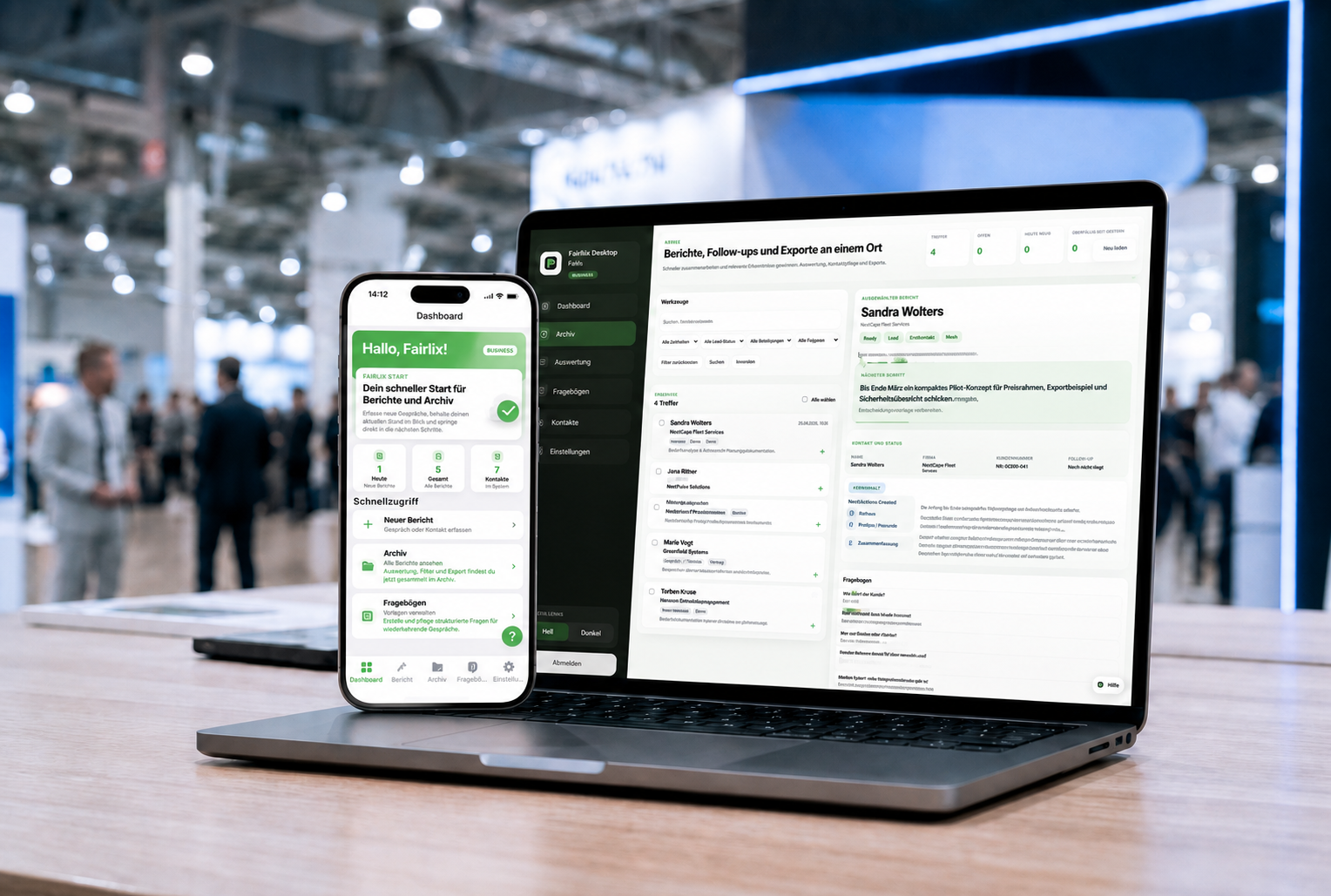
FairLix mobile app and desktop app at a trade fair
Right after the meeting Capture it quickly, work with it cleanly later
Less admin work Notes become reviewable reports.
No lost follow-ups Next steps stay visible.
Consistent report standard Every report follows a clear structure.
From meeting to webhook Export, Outlook and CRM handoff via webhook are prepared.
Benefits

No more note chaos after trade fairs and customer meetings.

FairLix is built for the moment after the conversation: when the details are still fresh and nobody wants to piece everything together by hand later.

Before / After

Before: loose notes. After: a report your team can use.

Trade fair contacts and customer meetings often leave behind notes, business cards, open questions and vague to-dos. FairLix turns that into a structured follow-up without needing the app to run during the meeting.

Capture contacts, needs and next steps clearly Prepare follow-up appointments for Outlook Share reports as PDF, XLSX, CSV or webhook-ready data
Workflow

A clean workflow instead of manual cleanup later.

Four steps are enough to turn your notes into a usable sales report.

01

Start report

Select meeting type, contact and the right template.

02

Capture quickly

Speak or write right after the meeting while the details are fresh.

03

AI structures

Needs, status, open points and next steps are prepared.

04

Follow up

Review, export, create an appointment or share with the team.

Mobile App

Built for the road, without unnecessary steps.

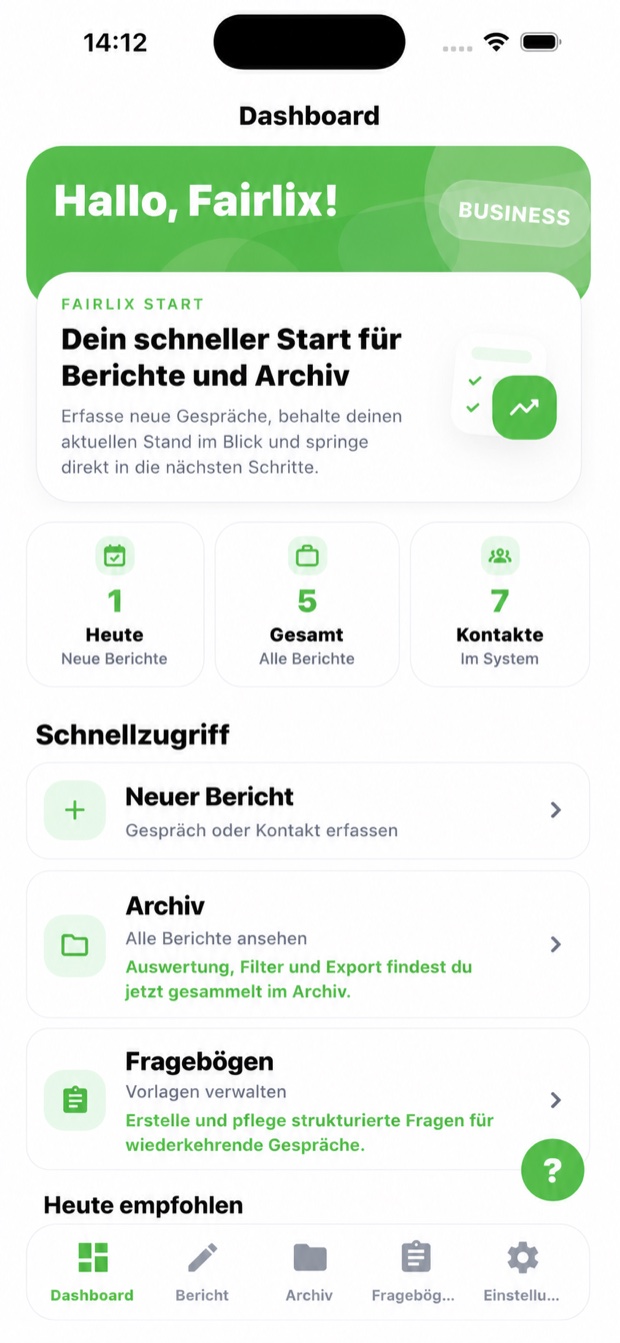
The mobile app is deliberately fast: a few inputs, clear steps, and then a report that can be edited, exported or used by the team on desktop.
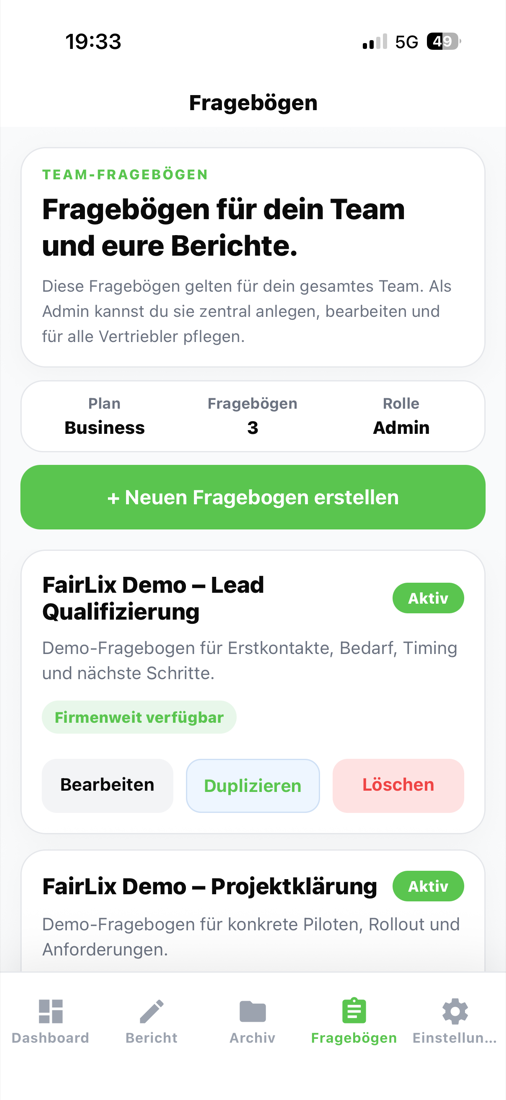
Guided follow-up after meetings Archive with follow-ups and next steps Team questionnaires for consistent qualification Light mode for people who just need to report quickly
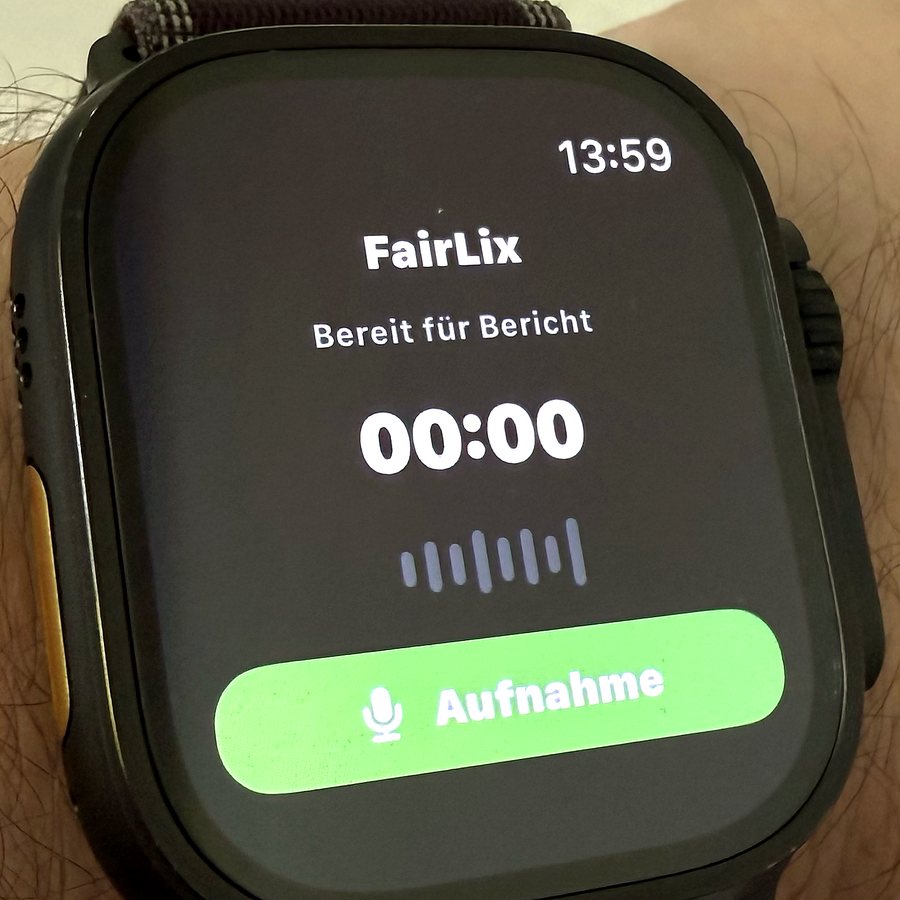
FairLix recording on Apple Watch
Apple Watch From your wrist to a finished report.

Start a quick report note on the go, FairLix picks it up on iPhone and turns it into the next report draft.
System requirements
iPhone & iPad
iOS and iPadOS 15.1 or newer
Android
Recommended on Android 10 or newer
Recommended
A current device, free storage, a stable connection for sync and processing, and 4 GB RAM or more.
FairLix dashboard
Home
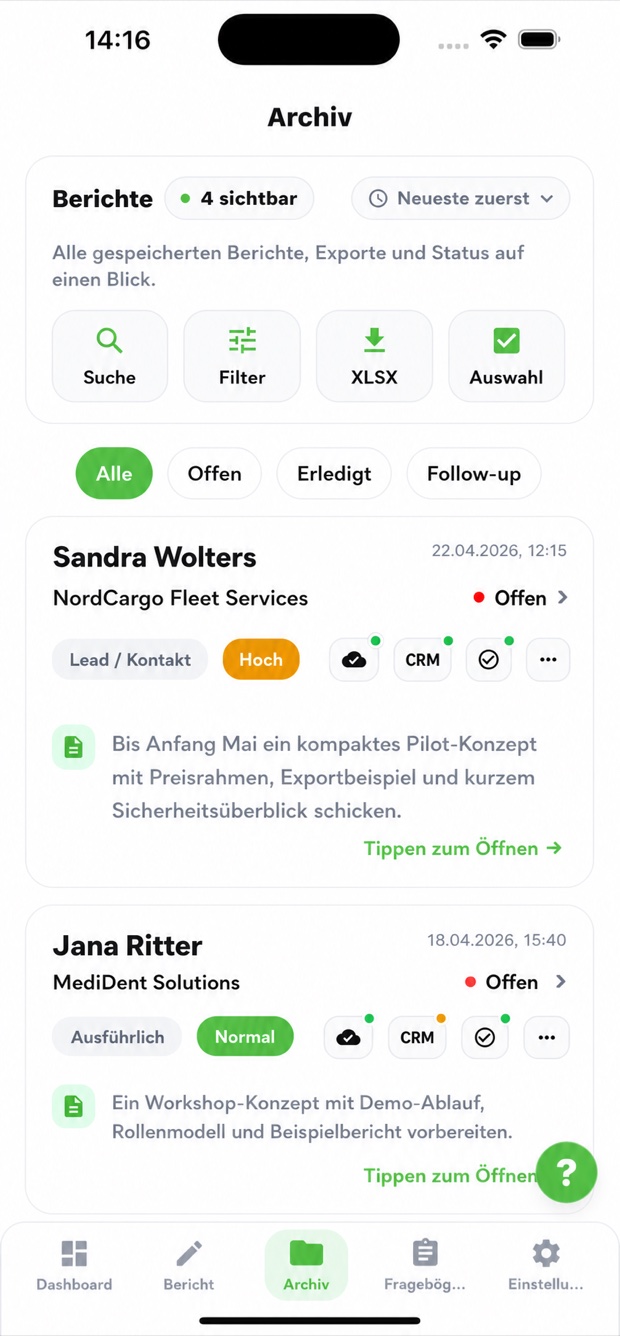
FairLix archive
Archive
FairLix questionnaires
Questionnaires
Product in action

Turn follow-up work into real sales momentum.

Mobile capture, fast retrieval, follow-ups and desktop work all connect in one flow.

Capture report

Meeting type, questionnaire, contact and optional audio summary in one guided flow.

FairLix archive and follow-ups Archive

Keep follow-ups visible

Search, filter and find open next steps directly.

Work on desktop

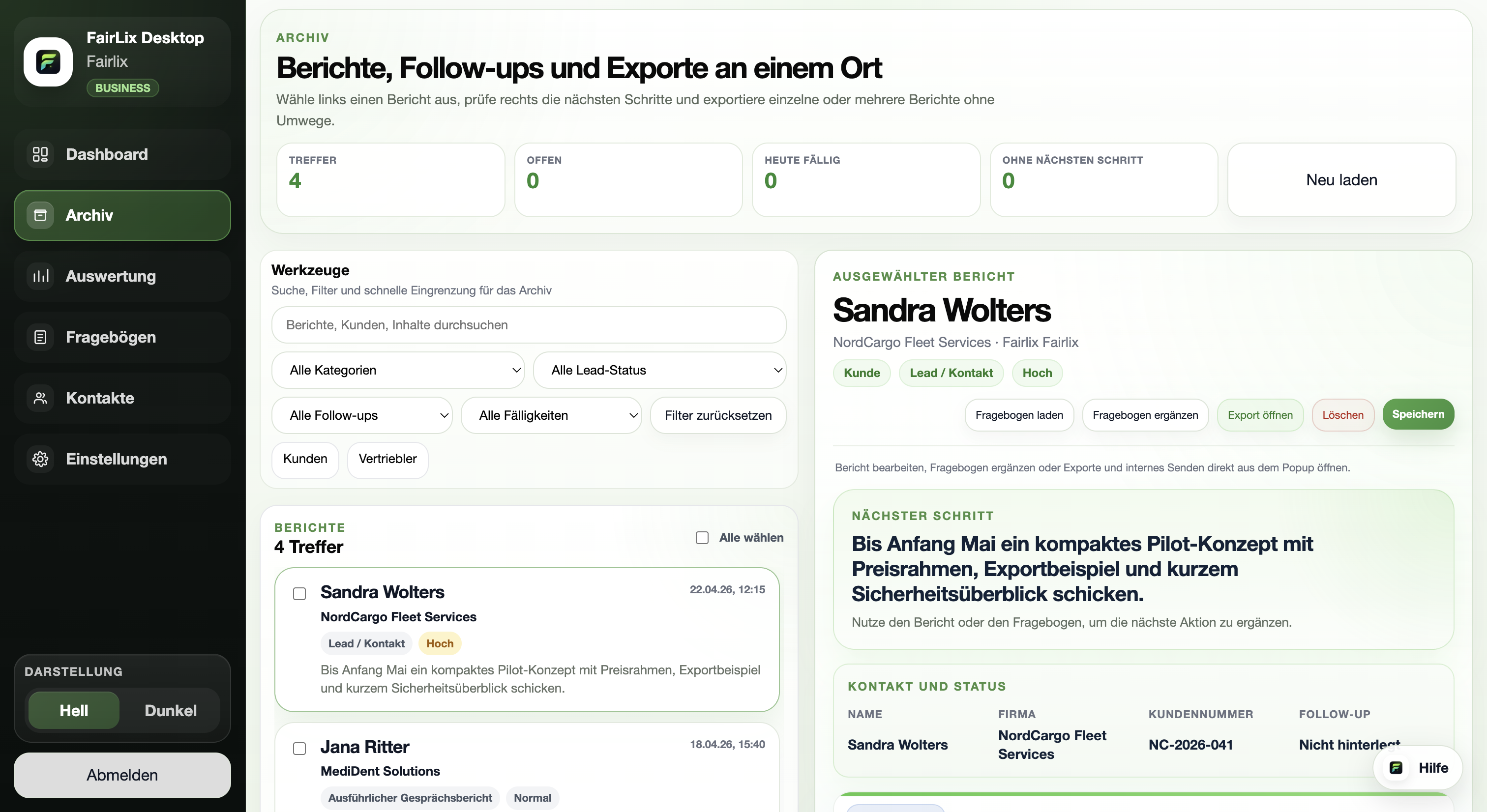
Reports, analytics, roles and teamwork on a larger workspace.

Example report

What a finished visit report looks like.

FairLix turns customer contacts into needs, next steps, contact details and core topics. After a trade fair or field visit, teams can see what matters and who should follow up next.
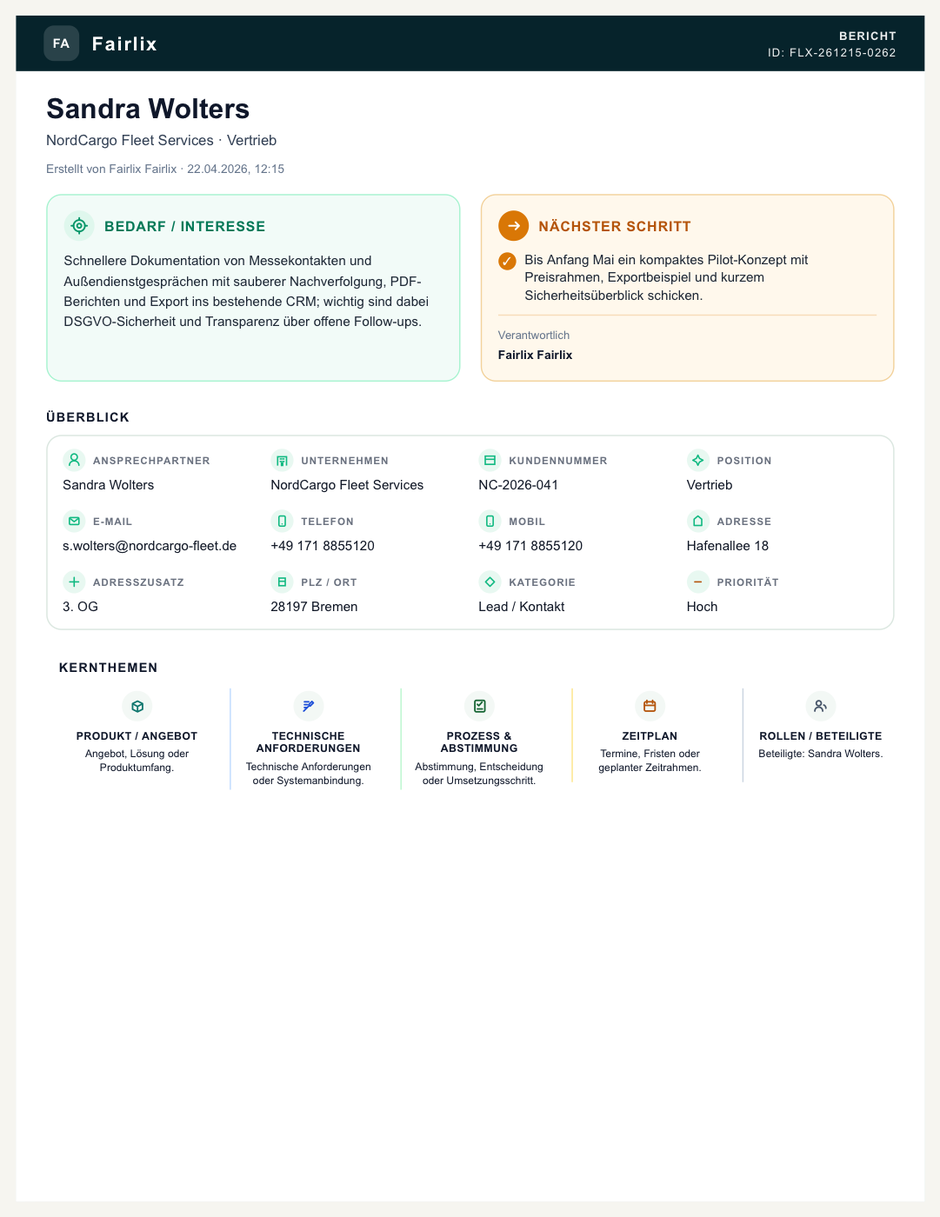
Needs and interest summarized clearly Next step and responsibility visible PDF report ready for team, customer or CRM use
Fictional FairLix example report with needs, next step and core topics
Fictional example report with needs, next step and core topics.
Web, Mac & Windows

On desktop, follow-up becomes team overview.

Larger tables, archive views, analytics, roles and teamwork already continue in the browser. Native apps for Mac and Windows will be available soon.
Mac soon Windows soon
FairLix Desktop Web archive
Plans

Clear packages instead of unclear licensing.

This page shows the current pricing framework. Prices, minutes and availability are loaded centrally in the shop from the FairLix backend.

Free

0,00 €

per month

  • 2 reports per month
  • 5 audio minutes included
  • Audio recording, review and basic archive
Pro

24,99 €

per month

  • Unlimited reports
  • 100 audio minutes included
  • PDF, email, XLSX, CSV and ICS
Pro+

59,99 €

per month

  • Unlimited reports
  • 500 audio minutes included
  • Webhook-ready for Make, Zapier and custom systems
Team

249,00 €

per month, 5 users included

  • 1000 shared audio minutes
  • Roles, templates and light mode
  • Webhook setup by the admin

Additional users and audio minutes appear in the shop when they are available for the account.

Webhooks & CRM handoff

FairLix remains the starting point. Connected systems receive only the relevant sales data.

Pro+ prepares webhook handoff for individual power users; in Business, the admin configures the connection centrally for the team. Reports are sent deliberately and semi-automatically to a connected CRM, automation or internal system. Instead of full transcripts, FairLix transfers core fields such as contact, company, short note, next step and status.

Privacy

Your data is handled with care and clear safeguards.

FairLix combines useful sales work with clearly documented privacy measures for sensitive business data.

Hosting in Germany

Our servers are hosted in German data centers.

No freely readable plain-text reports

Report content is not stored as freely readable server-side text.

Roles and permissions

Access is limited to authorized users and team members.

Azure EU data zone

Speech runs in Germany West Central, Azure OpenAI in an EU data-zone deployment.

Export anytime

Reports remain usable as PDF, XLSX or CSV.